
Explore live receiving reports
Search recent WSPR spots from volunteer receivers. Filter by band, time window, distance, SNR, and transmitter power.
Android · WSPR reports
WSPR Scout helps Android users explore and understand WSPR propagation reports. Load spots, filter them, place them on a map, and chart how paths behave over band and time.
How it works
WSPR is a weak-signal beacon system. A transmitting station sends a short encoded message. Receiving stations that decode it report a spot. Scout does not sit in that radio path. It reads the public reports and turns them into lists, maps, and charts.
In the app today
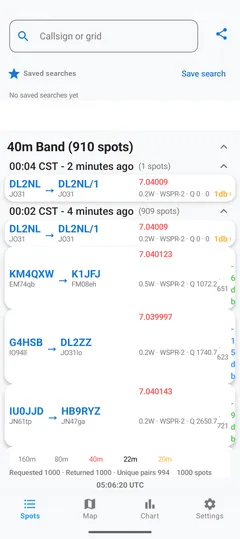
Search recent WSPR spots from volunteer receivers. Filter by band, time window, distance, SNR, and transmitter power.
Type a callsign or Maidenhead locator. The list, map, and charts update around that search.
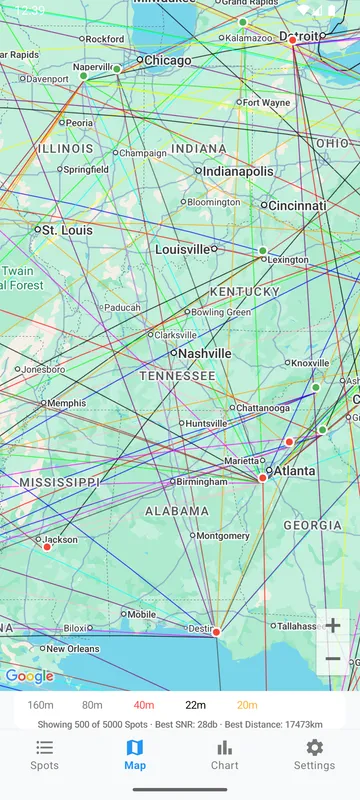
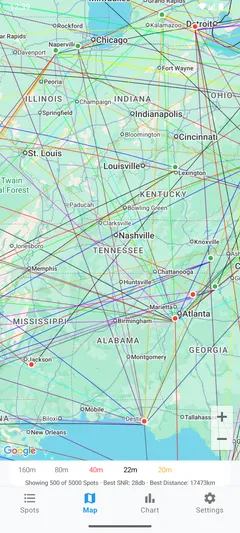
Plot transmitter and receiver locations with short-path lines on Google Maps. Band colors and SNR help you read crowded results.
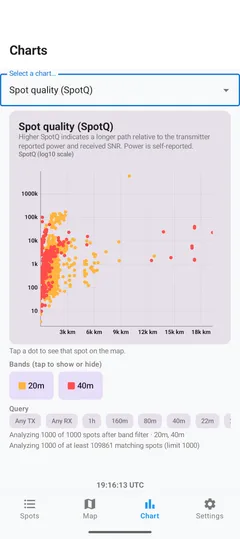
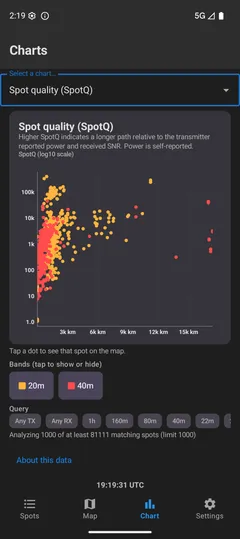
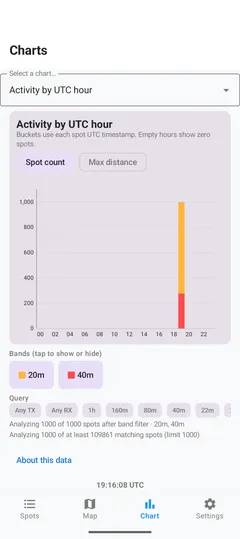
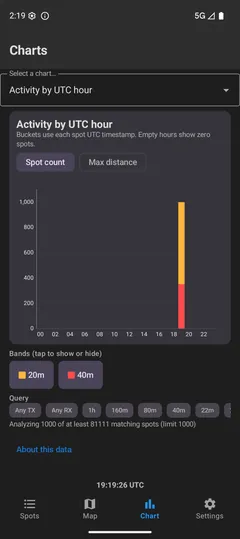
Inspect activity by UTC hour, SNR versus distance, SpotQ, band use, and related views built from the spots you already loaded.
Head-to-head finds transmissions heard by both stations in the current result and compares reported SNR.
Keep named searches and recent callsigns locally. Nothing in this flow creates an app account.
Recent queries are stored on the device. If the network is slow or rate-limited, Scout can show cached spots and say how old they are.
Share the current result as a tab-separated file through Android's share sheet.
The tone generator plays a roughly 110 second 4-FSK pattern through the speaker using the WSPR sync vector. It does not encode the typed callsign, grid, or power, and it does not transmit RF.
Screens
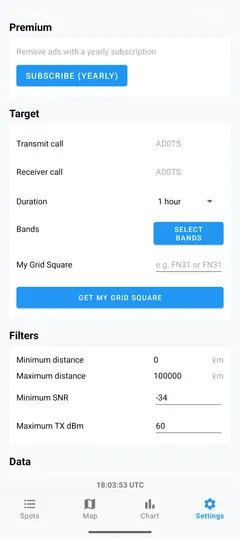
These are emulator captures from the current Android app. Callsigns on the spots list are public WSPR reports. AD0TS is Coupletic's public callsign. Shots that still show Google's AdMob test banner stay off this page.
Privacy
Scout sends your search and filter values to wspr.live so it can return matching public spots. Optional location is converted on-device to a grid square. Ads and Play Billing contact Google when those features run. The app does not create a WSPR Scout account.
The full policy names each category, including callsigns, grids, cache, AdMob, and Maps. Read the WSPR Scout Privacy Policy.
Questions
WSPR (Weak Signal Propagation Reporter) is a one-way beacon mode. A station transmits a short, low-rate signal. Receivers that decode it send a receiving report, called a spot, to public databases. It is not a chat or two-way messaging mode.
No. The app reads reports. The tone generator plays audio on the speaker. It does not key a radio, transmit RF, or encode the callsign you type into a real WSPR message.
You do not need a license to read public WSPR spots in the app. Transmitting WSPR on the air is a separate activity and is governed by your country's amateur-radio rules. WSPR Scout does not perform that transmit function.
The shipping data path queries the ClickHouse HTTP API at db1.wspr.live, which serves wsprnet.org community spot data. The app labels this as WSPRnet API or WSPR Live. Reverse Beacon Network is in source but hidden from the settings UI. PSKReporter is mentioned as a future idea and is not implemented.
Location permission is optional. If you tap Get My Grid Square, the app reads the current GPS fix on the device, converts it to a Maidenhead locator, and stores that grid string in settings. Latitude and longitude from that fix are not saved. Your grid is used on the map. It is not sent as GPS coordinates to WSPR servers.
Yes for fresh spots, maps, ads, and Play Billing. After a successful fetch, a local Room cache can show the last result for that query, including when you are rate-limited or briefly offline.
The app's minSdk is 26 (Android 8.0). targetSdk is 36.
No. WSPR Scout is an independent Android viewer. It is not affiliated with WSJT-X, the WSJT Development Group, wsprnet.org, wspr.live, Google, or QRZ. Those parties do not endorse the app.
Yes. Google AdMob banners appear unless you have a yearly subscription that removes ads (product id premium_yearly). The download is free. Coupletic intends to price that subscription at about $12 per year. Google Play will show the live price and tax. This is not a charitable donation.
Next
The Play Store listing is not public yet. When it is, this button will go there. Until then you can read how the app works, or email support.